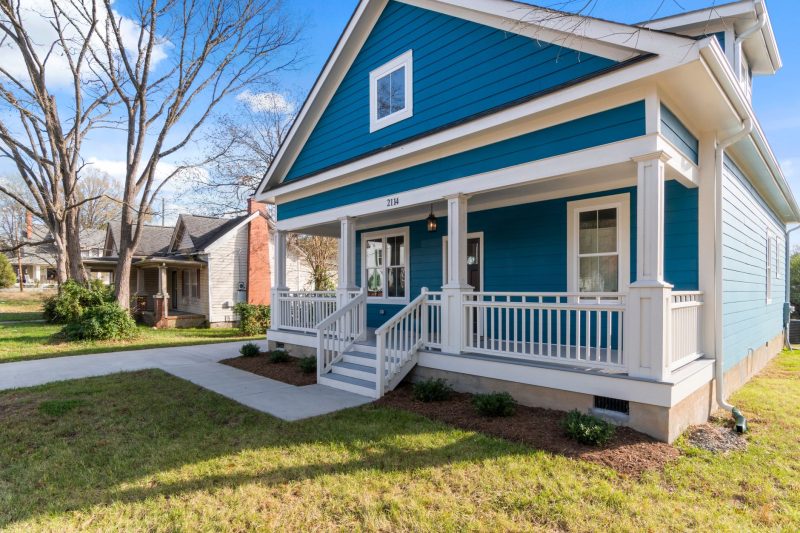
Mortgage Calculator Tips: Estimating Your Payments for Cape Cod Homes

Buying a home on Cape Cod or the islands is exciting, but estimating what you’ll actually pay every month can feel like a guessing game. **A mortgage calculator is a tool that helps you estimate your monthly mortgage payment by considering loan amount, interest rate, term, taxes, insurance, and more.** In this article, I’ll walk you through how to use mortgage calculators the right way, what real-life costs to include, and give you a few pointers specific to the Cape and nearby coastal areas.
Key Takeaways
- Purpose: Mortgage calculators help you estimate your total monthly home payment based on current costs and loan terms.
- Inputs Needed: You’ll want your estimated loan amount, interest rate, property taxes, homeowners insurance, and any mortgage insurance.
- Timeline: You can use calculators before you shop homes to set a realistic budget, or after you’re under contract to fine-tune the payment.
- Best For: Anyone trying to plan, whether you’re a first-time buyer, upgrading, or looking at second homes on Cape Cod or nearby communities.
Quick Answers
- What’s included in a standard mortgage calculator? Principal, interest, property taxes, homeowners insurance, and sometimes mortgage insurance or HOA dues.
- Do calculators include everything I’ll pay monthly? Not always—make sure to add local tax rates, expected insurance, and other recurring fees unique to your property.
- Can I use a calculator for condos or homes with HOA? Yes, but be sure to manually enter HOA fees since many calculators don’t include them by default.
- How accurate is an online calculator? The estimate is only as good as the information you input, and numbers like taxes and insurance can vary by property.
Why Use a Mortgage Calculator?
Whether you’re buying your first place, moving to a second home, or refinancing, knowing your payment ahead of time is a big help. At Mike Burton (NMLS# 3373), I often suggest starting with a mortgage calculator before looking at homes. This way, you can get a real feel for your comfort zone before falling in love with a listing that’s outside your range.
A mortgage calculator is also handy for answering questions like:
- How does my payment change if I put more (or less) down?
- What’s the difference between a 30-year and 15-year loan?
- What will my payment look like with today’s mortgage rates?
Ok, here is how the program works. You’ll have a payment of Principal and/or interest of this amount. This is based on a loan amount of this and an interest rate of this. This is 1 example, we have many options to choose from.
Understanding What’s In (and Not In) Your Payment
Let’s break down the main parts you’ll want to include:
- Principal: This is the actual amount you borrow. Each payment reduces your loan balance a little.
- Interest: What you pay the lender to borrow. Rates vary, so check current market conditions.
- Property Taxes: On Cape Cod, Nantucket, Martha’s Vineyard, and other Massachusetts towns, property tax rates can differ significantly by location and property type. Be sure to look up the rate for your specific area or ask your loan officer for a ballpark estimate.
- Homeowners Insurance: Required by your lender to protect the property. The amount will depend on your coverage and the home’s features.
- Mortgage Insurance: Common on loans with less than 20% down, this can be a monthly fee or a lump sum. Exact numbers vary by program.
- HOA Fees: If you’re buying a condo or a property in a community with amenities, remember to budget Homeowners Association dues.
Some calculators let you input all these numbers. Others give just the principal and interest, so you’ll want to add estimated taxes, insurance, and fees for a more complete picture.
Estimating Taxes and Insurance for Cape Cod & Surrounding Areas
Here are a few things to keep in mind that might not show up in a generic online calculator:
- Property Taxes: Each town on Cape Cod and the Islands sets its own property tax rate, and it can shift year to year. For homes in coastal or flood-prone areas, always check if the property requires additional flood insurance.
- Insurance Costs: Older homes, waterfront properties, or those in certain areas may cost more to insure. If you’re unsure, a local insurance agent can give you a quick estimate.
- Condo Fees and Special Assessments: For condos in places like Hyannis, Falmouth, or Chatham, monthly fees can make up a big part of your total payment.
How to Use a Mortgage Calculator—Step-by-Step
Let’s walk through the steps with a typical scenario (numbers are sample only, since rates and taxes vary):
- Find a reliable mortgage calculator online. Many lenders, including us, have calculators that let you enter specifics for Massachusetts.
- Gather your info:
- Estimated purchase price
- Likely down payment
- Current market interest rate (ask your loan officer for a ballpark, or check mortgage news)
- Length of loan (usually 30 or 15 years)
- Annual property tax estimate
- Expected annual homeowners insurance
- Monthly HOA/Condo fees, if applicable
- Plug each number into the calculator fields.
- Review the “total monthly payment,” not just the principal and interest. Make sure you also include the taxes, insurance, and HOA dues.
- Adjust as needed—try increasing or decreasing your down payment, or see what happens if the interest rate moves up or down a little.
You should now have a much better estimate of what your payment will really look like for a home in this area.
What Factors Make Cape Cod, Plymouth & Boston Area Unique?
Every market has its quirks:
- Flood Insurance: Certain homes on the Cape, South Shore, or near Plymouth may require separate flood insurance, which isn’t typically included in basic calculators. Check maps or ask your agent if you’re unsure.
- Seasonal Usage: If you’re buying a second home or vacation property, lenders may view your application differently from a primary residence. The payment estimate is still the same process—you just want to be sure your numbers reflect year-round ownership, not just seasonal use.
- Jumbo Loans: Borrowing over the local loan limit in Barnstable or Plymouth Counties? You’ll want to check out a Jumbo Home Loan program and see how the payments change based on larger loan sizes and different guidelines.
Comparing Loan Options with Calculators
Once you’ve got your base numbers, you can use calculators to understand differences across programs. For example, an FHA Home Loan may require mortgage insurance, while a conventional loan with 20% down may not.
| Loan Type | Typically Requires Mortgage Insurance? | Minimum Down | Comments |
|---|---|---|---|
| Conventional | If less than 20% down | 3%–5% for most buyers | Great for buyers with stronger credit and savings |
| FHA Loan | Yes, required | 3.5% | Popular for first-time buyers, flexible guidelines |
| VA Loan | No monthly, but VA funding fee often applies | 0% (for eligible borrowers) | Only for eligible veterans and service members |
| Jumbo | Varies by lender | Often 10%–20% | For higher-priced homes on Cape Cod or South Shore |
You can check the details and get more info on loan types on my Loan Options page.
When Should You Use a Mortgage Calculator?
You can use a calculator:
- Before you start shopping, so you know what price range feels comfortable.
- After you’ve found a home and want to see how taxes or insurance will impact your payment.
- When you want to compare fixed-rate vs. adjustable-rate scenarios—feel free to check our fixed-rate mortgage info for more details, or call if you want to review side by side.
Remember, calculators help you run “what ifs” so you can move forward feeling confident.
Tips for Getting the Most Accurate Estimate
- Always include property taxes, homeowners insurance, and PMI if it applies to your scenario.
- If the home is part of an HOA or condo association, add the monthly dues.
- Check if flood or wind insurance is required for your property location—those can change your monthly payment a lot.
- If you’re not sure about a number, round up rather than down. It’s better to have a little wiggle room than be surprised later.
- Adjust the rate by a small amount (+/- 0.25%) and see how your payment changes. Current rates do move, and this helps you plan for that.
Most importantly, reach out if you want help reviewing your numbers. There’s no harm in running the numbers a few different ways. The goal is to help you feel as comfortable and prepared as possible before you take the next step.
Let’s Review Your Scenario Together
If you’re looking at homes in Cape Cod, Plymouth, Boston, or the islands—or just want a personalized payment breakdown—call, text, or email me anytime. We’ll walk through your numbers together, compare options, and help you plan next steps. If you’re early in the process, I can also help with pre-approval planning so you know you’re in a strong spot to make an offer.
This is educational and not financial advice. Loan programs and guidelines can change. Talk with a licensed mortgage professional about your specific scenario.
Frequently Asked Questions
Can mortgage calculators predict my escrow payment?
Mortgage calculators often estimate escrow payments, but those are based on the property tax and insurance numbers you provide. Your actual escrow payment may differ if tax rates or insurance premiums change, so always verify with your lender or servicer.
What if the calculator doesn't show my exact loan type?
If your loan type isn’t listed, use the calculator fields that are closest and manually add or adjust fees, insurance, or program-specific costs. For unique programs like construction loans or non-traditional mortgages, it’s best to reach out for a tailored estimate.
Do all mortgage calculators account for Cape Cod flood insurance?
No, most online calculators don’t include flood insurance as a default field. If you’re buying on the Cape or in a flood zone, add your estimated flood premium manually to your payment calculation for accuracy.
How can I figure out future changes in taxes or insurance?
Property taxes and insurance rates can go up over time. Review your local town’s website or talk to your insurance agent for recent trends, and build in a little cushion to your budget to reduce surprises later.
Are there calculators that help compare fixed-rate and adjustable-rate payments?
Yes, some calculators allow you to compare fixed-rate and adjustable-rate loan scenarios side by side. These can help you see how payments may change after the initial fixed period on an adjustable loan.
This is educational and not financial advice. Loan programs and guidelines can change. Talk with a licensed mortgage professional about your specific scenario.

Mike Burton
Mike has over 33 years in the mortgage industry as a top originator for each institution he was employed with. Mike started Slade Mortgage Group in 1997 and formed a team of professionals to service clients by beating the banks.
Related Posts