Mortgage Calculator Tips: How to Get the Most Accurate Payment Estimate
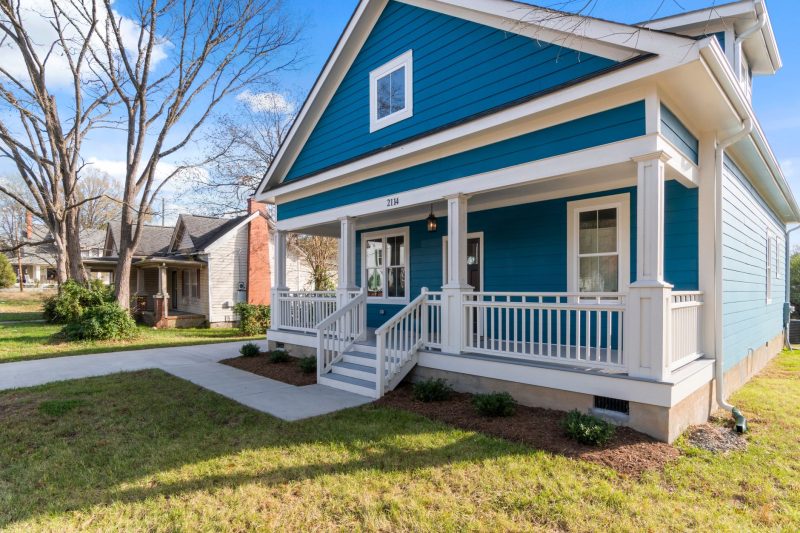
Buying a new home on Cape Cod or the South Shore is exciting, but figuring out what your payments will actually look like can be a little intimidating. **A mortgage calculator is a tool that estimates your monthly payment based on the loan amount, interest rate, taxes, insurance, and other key factors.** In this article, we’ll walk through how to use mortgage calculators the right way, what goes into the numbers, and how to avoid common mistakes so you feel confident when you’re ready to take the next step.
Key Takeaways
- Purpose: A mortgage calculator helps estimate your monthly loan payment for a home purchase or refinance.
- Inputs Needed: Loan amount, interest rate, loan term, taxes, insurance, and sometimes HOA or PMI/MIP.
- Accuracy: Results are only as good as the information you enter; real taxes, insurance, and HOA can vary widely.
- Best For: Buyers planning a purchase, checking affordability, or comparing different loan options.
Quick Answers: Mortgage Calculator Basics
- Do calculators show my exact payment? Not always – they provide estimates based on your inputs.
- What should I include? Be sure to enter realistic taxes and insurance for your target area.
- Can I use a calculator for different loan types? Yes, you can compare FHA, VA, Jumbo, and conventional using most calculators.
- Should I factor in HOA or condo fees? If applicable, yes, as these can significantly impact your monthly payment.
How a Mortgage Calculator Works
At its core, a mortgage calculator takes your main loan details – loan amount, interest rate, and term – and works out a principal and interest payment. That’s a good starting point, but real monthly costs usually include more. Ok, here is how the program works: you’ll have a payment of principal and/or interest of this amount. This is based on a loan amount of this and an interest rate of this. Property taxes, homeowner’s insurance, mortgage insurance (if required), and any HOA fees often get added in, and can change the picture quite a bit.
At Mike Burton (NMLS# 3373), I’ve helped folks from Plymouth to Provincetown figure out real-world mortgage costs for years – and I’ve seen first-hand how a good estimate makes the journey smoother. I’m going to walk you through how to use these calculators so you’re not caught off guard later.
What Goes Into Your Monthly Mortgage Payment?
Let’s look at the key parts:
- Principal: This is the money you borrow to buy the home.
- Interest: The cost of borrowing that money, based on current market rates.
- Property Taxes: Billed by the city/town, can vary quite a lot across Cape Cod and the Boston area.
- Homeowner’s Insurance: Required by most lenders, protects against property damage.
- Mortgage Insurance (PMI or MIP): Typically required for low-down payment loans, like FHA or conventional loans under 20% down.
- HOA/Condo Fees: If the property is in an association or condo building, be sure to factor these in.
Be as accurate as you can with your numbers. Taxes and insurance especially can jump around depending on where you’re shopping, so if you’re unsure, ask for a rough estimate or look up the town’s millage rate and typical insurance costs in your area.
Tips for Using a Mortgage Calculator Effectively
Here are a few things to keep in mind:
- Always Include Taxes and Insurance: Many online calculators leave these blank or under-estimate them. Double-check with local averages.
- Check for PMI or MIP: If your down payment is less than 20% (conventional) or you’re looking at FHA loans, add in mortgage insurance.
- Adjust for Different Loan Types: Conventional, FHA, VA, and Jumbo loans have different guidelines and costs. If you want to run the numbers for an FHA home loan or a Jumbo mortgage, check those features.
- Play With the Interest Rate: Market rates change often. Try adjusting up and down by half a percent to see how sensitive your payment is.
- Ask for a Pre-Approval Review: Once you have a payment estimate you’re comfortable with, getting pre-approved will help lock down real numbers for your specific scenario.
Example: What a Calculator Might Show
Let’s say you’re looking at a $600,000 home in Barnstable County with 10% down. You choose a conventional loan and current market rates. Ok, here is how the program works: you’ll have a principal and interest payment that the calculator shows for that loan amount and interest. Add in estimated property taxes, homeowner’s insurance, and – if required – PMI. Taxes in South Shore towns may be a bit different, so be careful if your target area crosses county lines.
This is 1 example, we have many options to choose from. It helps to run 2-3 different scenarios. Maybe see what a slightly higher or lower down payment does, or if choosing an FHA or USDA loan changes the monthly amount. These little details make a difference.
Common Missteps With Mortgage Calculators
Don’t worry, you’re not the only one wondering if these online tools are giving you the right number. Here are a few things I see catch people by surprise:
- Leaving Out Key Costs: Forgetting about taxes, insurance, or HOA fees means the real payment will end up higher than you expect.
- Assuming the Rate Is Locked: Interest rates can change between when you first run the numbers and when you’re actually under contract. Use a conservative rate – or try 2-3 options to see the range.
- Missing Loan-Specific Fees: Government-backed loans (FHA, VA) or Jumbo loans may include extra upfront mortgage insurance premiums or other fees. Factor those in if you can.
- Thinking the Calculator Includes Everything: Things like utilities, repairs, and maintenance are not included. Keep them in mind for your full budget.
Getting the Most Accurate Estimate for Your Situation
A quick chat can really help dial things in. I usually find that by comparing your payment estimate with real-world property tax info and insurance quotes, we get a much more confident picture – especially for Cape Cod, Martha’s Vineyard, or Nantucket where second homes and unique properties pop up.
For buyers who want to see more detail, we can use our local knowledge to estimate real taxes, insurance, and how HOA fees stack up in different towns and loan types. If you’re looking at a renovation, vacation home, or something outside the box, let me know and we’ll go through the numbers together.
Comparing Loan Types Using a Calculator
Many folks ask me, “Should I check FHA, VA, or conventional?” You absolutely can. Try inputting the same numbers for each and see how government-backed loans or Jumbo home loans might change your payment or qualification. If you want a broader picture, check out the full menu of loan options we work with.
| Loan Type | Typical Down Payment | Mortgage Insurance | Key Features |
|---|---|---|---|
| Conventional | As low as 3% | Required if under 20% down | Flexible, many property types |
| FHA | 3.5% minimum | Required for life of loan | Lenient credit, lower down |
| VA | 0% (if eligible) | No monthly MI | For eligible military/servicemembers |
| Jumbo | Varies, often higher | Usually not required | For larger loan amounts |
Check your expected payment for each loan type to see which one fits your comfort zone and your budget.
When to Go Beyond the Calculator: Talk to a Mortgage Expert
There’s a lot a calculator can’t catch—like local property tax quirks, or what insurance might look like for a special second home near the shore. Some calculators also don’t show how points, lender fees, or closing costs can impact your upfront and monthly expenses, which matter while you plan.
If you want to go deeper, or just want a second set of eyes on your numbers, I’m happy to help. After 40 years as a mortgage broker here on the Cape, I’ve seen every kind of scenario walk through the door. Pre-approval planning is your next best step once you have a target payment in mind. I’ll help you review your scenario, compare your options, and understand what’s possible—no pressure, just information.
Ready to Review Your Scenario?
Whether you’re just looking or if you want to lock in real numbers with a pre-approval, reach out by phone, text, or email. We’ll take a look at your numbers, build out an apples-to-apples comparison, and make sure you’re equipped for your home search—across Cape Cod, Boston, Duxbury, or beyond. The goal is a plan you’re comfortable and confident with. If you have questions, or you’d like to bounce some ideas around, just let me know. We will go through it together.
Frequently Asked Questions
How accurate is a mortgage calculator?
A mortgage calculator gives you a good estimate of your principal and interest payment, but results depend on the accuracy of your inputs. Taxes, insurance, mortgage insurance, and HOA fees may not be included or could vary from property to property. For the most accurate estimate, use local data and talk with a lender.
What should I include in my mortgage calculator inputs?
Include your expected loan amount, estimated interest rate, loan term, property taxes, homeowner’s insurance, and any homeowners association (HOA) fees. If your down payment is less than 20%, factor in mortgage insurance. Including all of these helps provide a more realistic monthly payment.
Can I compare different loan options with a calculator?
Yes, most mortgage calculators allow you to adjust down payment, loan type, or interest rate. This lets you compare options like conventional, FHA, or Jumbo loans side-by-side, giving you a clear sense of how each one fits your budget.
Why don't online calculators show all costs?
Many online calculators are simplified and focus only on principal and interest. They may not include property taxes, insurance, HOA fees, or special assessments. Always double-check your full expected costs with your mortgage professional or by researching your specific area.
Should I get pre-approved after using a mortgage calculator?
Yes, a pre-approval takes your preliminary numbers and matches them to your real financial situation and current loan guidelines. This gives you more confidence as you shop and helps you move quickly when you find a home you love. Calculators are a great first step – pre-approval gives you certainty.
This is educational and not financial advice. Loan programs and guidelines can change. Talk with a licensed mortgage professional about your specific scenario.

Mike Burton
Mike has over 33 years in the mortgage industry as a top originator for each institution he was employed with. Mike started Slade Mortgage Group in 1997 and formed a team of professionals to service clients by beating the banks.
Related Posts